



 简体中文
简体中文 English
搜索结果建议
快速链接
FAQ
Q:What transmitters are compatible with R9DS?
Q:What transmitters are compatible with R9DS?
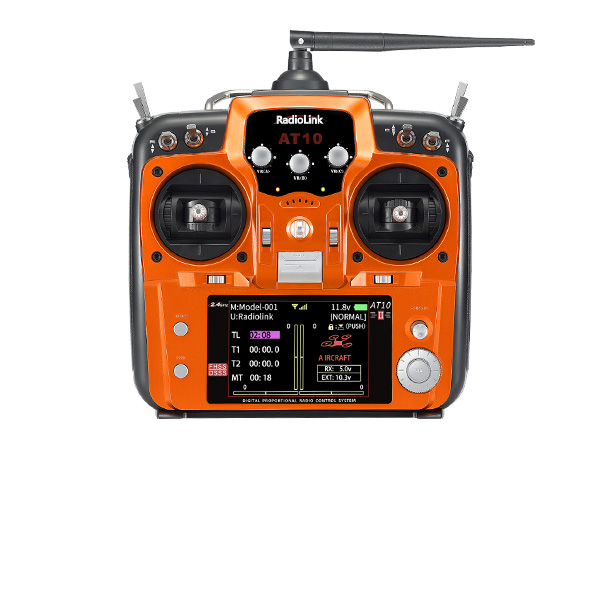
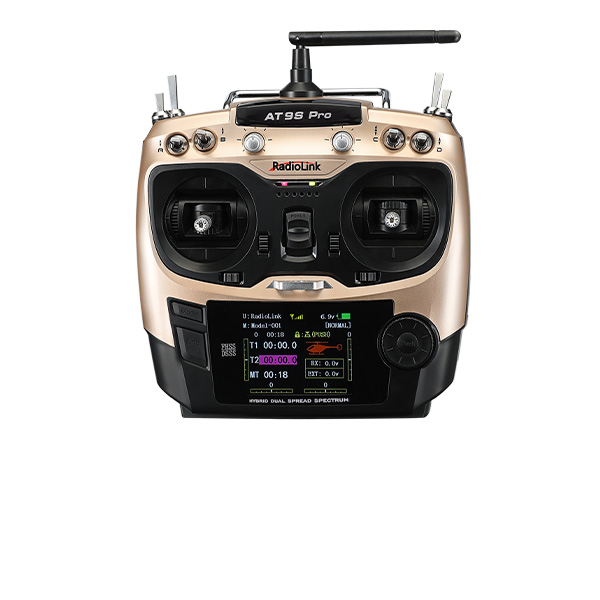
A:R9DS is compatible with RadioLink AT9/AT9S/AT9S Pro/AT10/AT10II.
Q:How to bind R9DS to transmitter?
Q:How to bind R9DS to transmitter?
A:
1. Put the transmitter and the receiver close to each other (about 50 centimeters) and power both on.2. Switch on the transmitter and the LED of R9DS will be on.
3. There is a black binding button (ID SET) on the side of receiver. Press the button for more than 1 second and release, the LED will flash quickly, meaning binding process is ongoing.
4. When the LED stops flashing and is always on, binding is complete and there will be a signal tower shown on top of the screen of the transmitter.
Q:What signal output does R9DS support?
Q:What signal output does R9DS support?
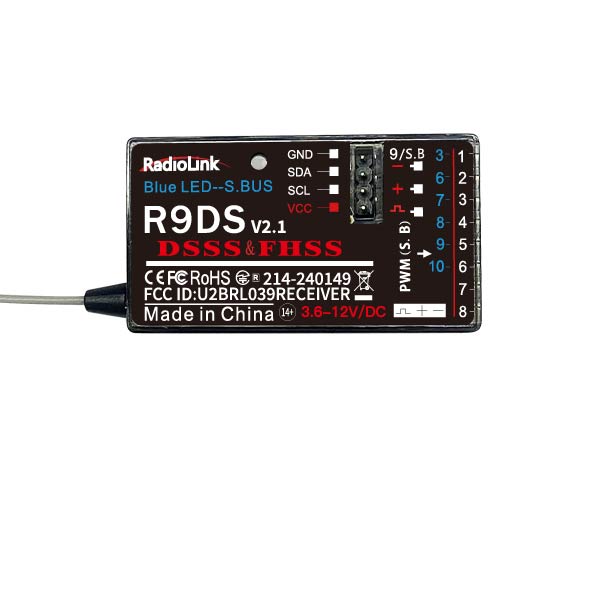
A:R9DS supports SBUS and PWM signals synchronously.
Receiver indicator is RED with all 9 channels output PWM signal.
Receiver indicator is Blue (Purple) with 10 channels output in total and synchronously output SBUS and PWM signal.
Ch9 outputs SBUS signal while Ch3 marked in BLUE outputs PWM signal and helicopter is adaptable. When Ch6 to Ch10 output PWM signal, there are 10 channels in total.
Short press the binding button (ID SET) twice within 1 second to switch the S-BUS&PWM signal to PWM signal.
Q: Can R9DS output 10 channels of PWM signal?
Q: Can R9DS output 10 channels of PWM signal?
A:R9DS is capable of outputting 10 channels with synchronous SBUS and PWM signal output. If only PWM signal needed, there are only 9 channels. But the SBUS signal output channel can be connected with a PWM board and realize more than 9 channels of PWM signal output.
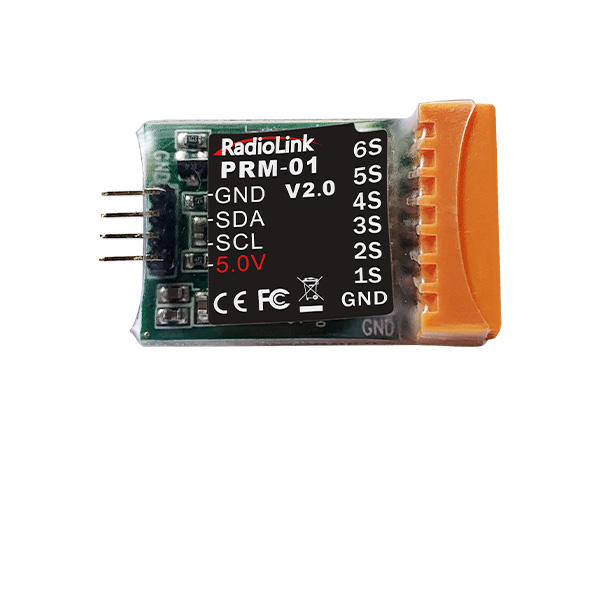
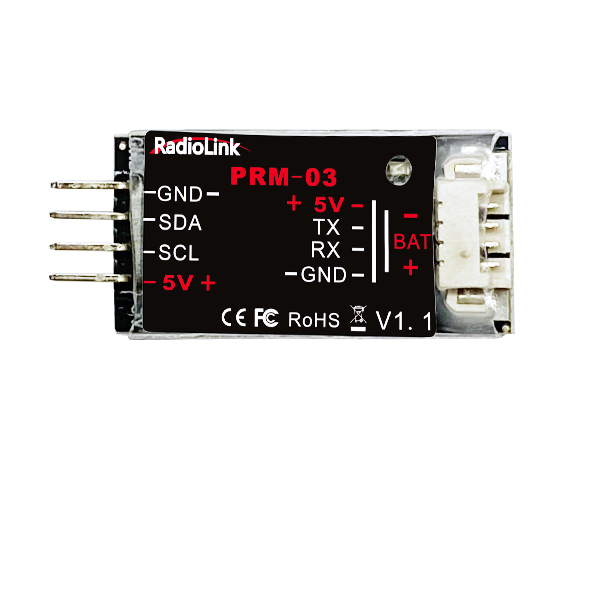
Q:How to connect R9DS with PRM-01 or PRM-03, the telemetry modules?
Q:How to connect R9DS with PRM-01 or PRM-03, the telemetry modules?
A:
1. R9DS connects PRM-01 as below
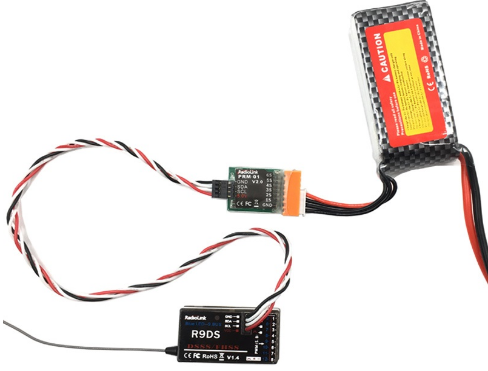
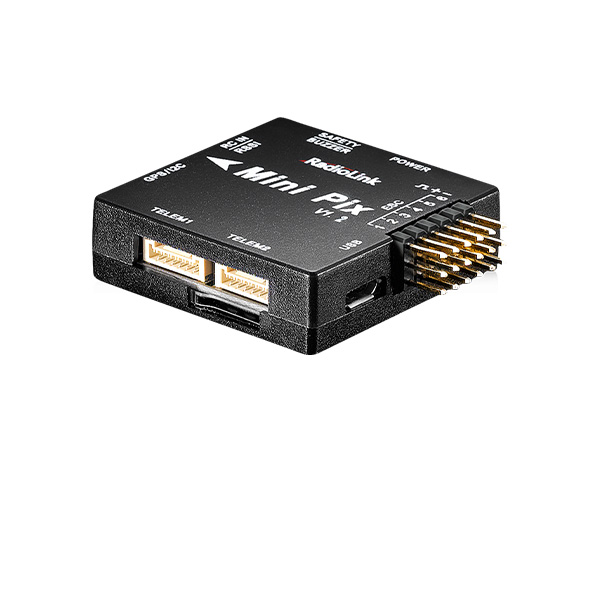
2. R9DS connects PRM-03 and RadioLink flight controller MINI PIX/APM as below
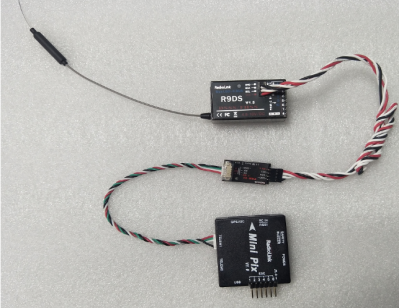
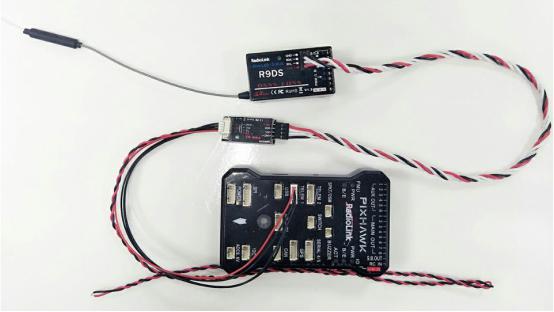
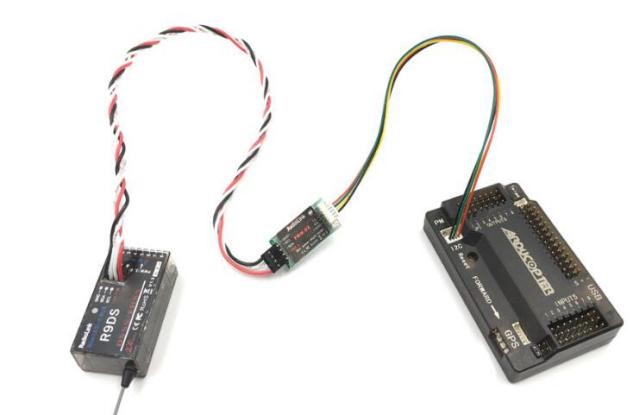
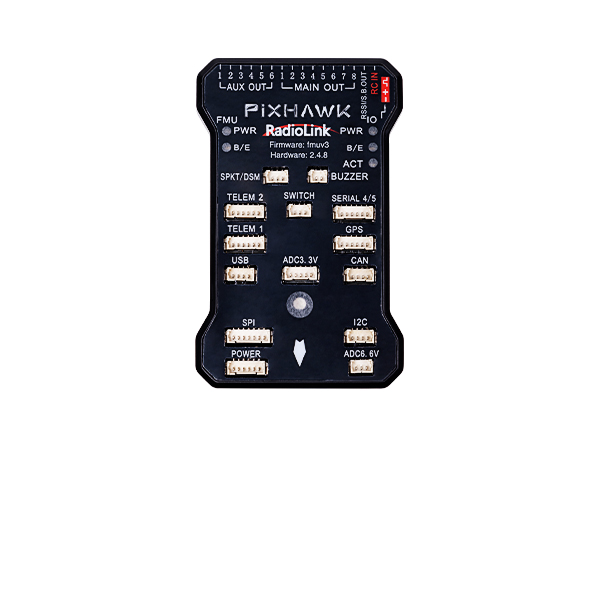
Note: The wires to connect RadioLink PIXHAWK is different from TURBO PIX but the port remains the same as TELEMETRY on flight controller
Q:Why the led indicator of R9DS is off after it’s powered on?
Q:Why the led indicator of R9DS is off after it’s powered on?
A:
1. Check if the battery is charged.
2. Check if the polarity is correctly connected.
3. Check if connection between the receivers and the power supply is good.
If there’s no problem with the above three points, the receiver may get burnt and needs to be repaired.
Q:Why the vehicle can’t be controlled after the binding between R9DS and transmitter is done?
Q:Why the vehicle can’t be controlled after the binding between R9DS and transmitter is done?
A:First, check if the power supply of the receiver and the transmitter is ok.
Then modify the channel quantity of the transmitter (AT9/AT9S/AT10/AT10II) as 10 to work with R9DS, the 10-channel receiver.
Press Mode button to enter BASIC MENU => Rotate the dial to select SYSTEM and Enter => Set CH-SELECT as 10CH.
Q:When R9DS works with AT9S, why the control range is more limited than 3400m (in air) as advertised?
Q:When R9DS works with AT9S, why the control range is more limited than 3400m (in air) as advertised?
A:
1. Check if the antenna of transmitter and receiver is damaged or welded joint.
2. Check if there’s interference resources like electricity substation or high voltage cable or WIFI nearby.
3. Check the RSSI value.
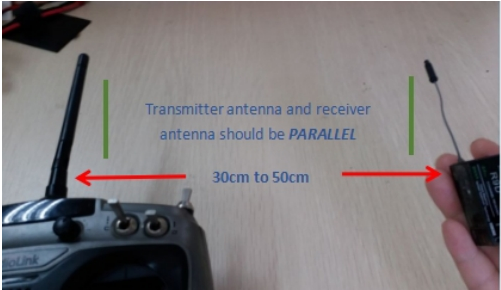
① Power on the transmitter and receiver with both antennas parallel and straight and within the distance of 30cm.
② Then check the RSSI value. Range between 0~-30dBM is normal and if the value gets closer to 0, the signal is stronger.
Q:Why is there no response when pressing the binding button (ID SET) of R9DS?
Q:Why is there no response when pressing the binding button (ID SET) of R9DS?
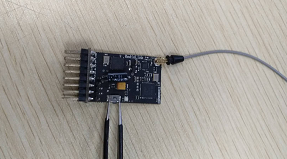
A:Please try short circuit binding by metal. Remove the cover of the receiver and power it on, use a metal accessory to touch the silver pad on both sides of the binding button to do the binding or signal output switch as below picture shows. If there’s still no response, the receiver may get burnt and needs to be repaired.
Q: How to replace the antenna of R9DS & R12DS Receiver?
Q: How to replace the antenna of R9DS & R12DS Receiver?
A: Please follow this tutorial: https://www.youtube.com/watch?v=ehNG1Tmzyrg
Q: The servos shake violently. How to fix it?
Q: The servos shake violently. How to fix it?
A: When using different receivers, you need to set CH-SELECT on AT10II/AT9S Pro/AT10/AT9S/AT9. Select 10CH for R9DS/R6DS/R6DSM receiver and select 12CH for R12DS/R12DSE/R12DSM receiver. If the selection is wrong, the servos will shake violently and cannot work well.
Here is a tutorial of it for your reference:
https://www.youtube.com/watch?v=gB4pu0t3F2s
Q: Can AT10II/AT9S Pro/AT10/AT9S/AT9 be bound to multiple receivers at the same time?
Q: Can AT10II/AT9S Pro/AT10/AT9S/AT9 be bound to multiple receivers at the same time?
A: Yes. You can bind them one by one. When binding one of the receiver, other receivers need to be powered off. After you have bound all the receivers to AT10II/AT9S Pro/AT10/AT9S/AT9, power on all the receivers, the transmitter can control all the receivers at the same time.
Q: The receiver cannot be bound to AT10II/AT9S Pro/AT10/AT9S/AT9. Why?
Q: The receiver cannot be bound to AT10II/AT9S Pro/AT10/AT9S/AT9. Why?
A: Could you please follow the below methods to troubleshoot the problem?
1.Check if you have turned on the RF-MODE on the transmitter. Enter Basic menu-PARAMETER--RF-MODE. Set RF-MODE to ON.
2.Then please follow the binding tutorial to bind the receiver to the transmitter:
https://www.youtube.com/watch?v=c3K19QB2_xE
3.You can replace another receiver to have a try to confirm if the problem comes from the receiver or the transmitter.
4.If the problem still exists, please send a binding tutorial to after_service@radiolink.com.cn to confirm the problem.
Q: The control range is short. How to troubleshoot the problem?
Q: The control range is short. How to troubleshoot the problem?
A: 1. Please test RSSI. Here is the tutorial of RSSI testing: https://www.youtube.com/watch?v=jr7ad-_MVoI
2.Check the antenna condition of the transmitter and the receiver.
3.Make sure the antenna is not near the metal or carbon fiber materials.
4.Please replace another receiver to have a try. It can help to confirm if the problem comes from the receiver or the transmitter.
Q: How to test RSSI with AT10II/AT9S Pro/AT10/AT9S/AT9 transmitter and receivers?
Q: How to test RSSI with AT10II/AT9S Pro/AT10/AT9S/AT9 transmitter and receivers?
A: Please follow this tutorial: https://www.youtube.com/watch?v=jr7ad-_MVoI
Q: How to supply power to the receiver without using the ESC?
Q: How to supply power to the receiver without using the ESC?
A: Please follow this tutorial: https://www.youtube.com/watch?v=nquuvM3hmtw
Q: How to output the RSSI value from the receiver to FPV when the transmitter is AT10II/AT9S Pro/AT10/AT9S/AT9, the flight controller is F4/ F7/ F722/F405, and the receiver is R12DS/R12DSE/R12DSM/R9DS/R6DS/R6DSM?
Q: How to output the RSSI value from the receiver to FPV when the transmitter is AT10II/AT9S Pro/AT10/AT9S/AT9, the flight controller is F4/ F7/ F722/F405, and the receiver is R12DS/R12DSE/R12DSM/R9DS/R6DS/R6DSM?
A: Please follow the guide: https://radiolink.com.cn/attransmitter_betaflight_rssi_output
Q: How to output the RSSI value from the receiver to FPV when the transmitter is AT10II/AT9S Pro/AT10/AT9S/AT9, the flight controller is PIX6/PIXHAWK/CrossFlight/CrossFlight-CE/CrossRace/CrossRace Pro/Mini Pix, and the receiver is R12DS/R12DSE/R12DSM/R9DS/R6DS/R6DSM?
Q: How to output the RSSI value from the receiver to FPV when the transmitter is AT10II/AT9S Pro/AT10/AT9S/AT9, the flight controller is PIX6/PIXHAWK/CrossFlight/CrossFlight-CE/CrossRace/CrossRace Pro/Mini Pix, and the receiver is R12DS/R12DSE/R12DSM/R9DS/R6DS/R6DSM?
A: Please follow the guide: https://radiolink.com.cn/attransmitter_pixhawk_rssi_output





 简体中文
简体中文- English